Overview
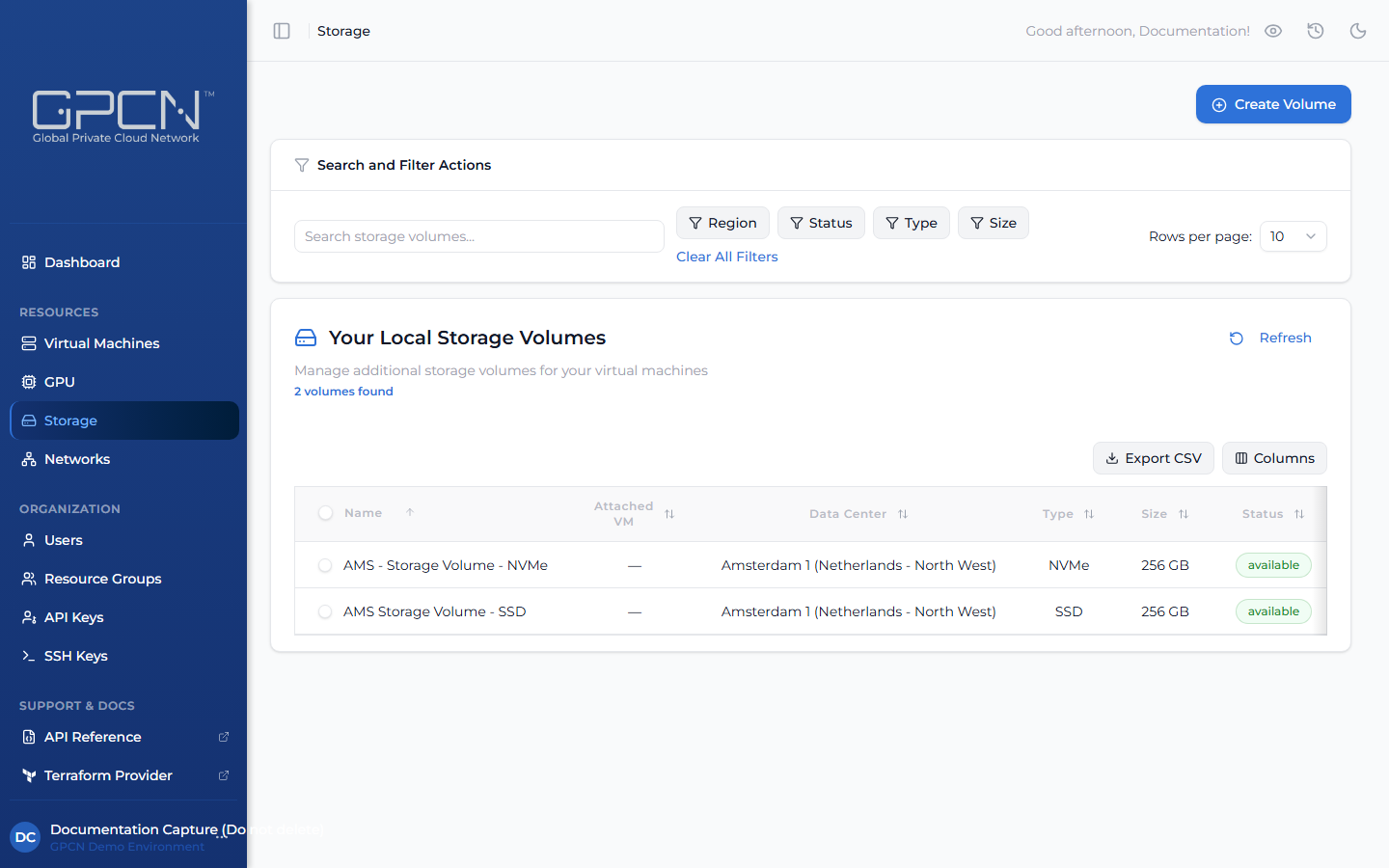
Storage volumes are persistent disks that you attach to virtual machines. Unlike a VM's built-in boot disk, volumes exist independently — you can detach a volume from one VM and attach it to another without losing data, making them well-suited for databases, file storage, and any workload that needs to outlive a single VM. Each volume is created within a specific data center and can only be attached to VMs in that same location.
How It Works
The typical storage workflow is:
- Create a volume — choose a type, size, and data center
- Attach it to a VM — the volume appears as a block device inside the VM
- Format and mount — partition and mount the volume from within the operating system
- Detach when needed — safely detach the volume and reattach it to a different VM
Key Concepts
Volume Types
GPCN™ offers different storage types optimized for different workloads:
- SSD — solid-state drives for general-purpose workloads
- NVMe — high-performance NVMe storage for I/O-intensive workloads
Available volume types and sizes vary by data center, and by what your organization is entitled to — so two accounts in the same data center may not see the same list.
Resource Group
Every volume belongs to a resource group, which controls who can see and manage it. The list carries a Resource Group column showing each volume's group.
There's no volume detail page, so you move a volume between groups from a row action in the storage table rather than a settings card. Moving a volume changes who can see it:
Moving this volume to another resource group changes who can see it: only that group's members and your organization's administrators.
The picker always offers the volume's current group, so you can pick back if you change your mind, plus any other group where you hold the volume:update permission. Completing the move also needs volume:update in the volume's current group.
Volume Lifecycle
| State | Description |
|---|---|
| Creating | Volume is being set up — this usually takes just a moment |
| Available | Ready to use — the volume is not currently connected to any VM |
| Attaching | Volume is being connected to a VM |
| Attached | Connected and active — the volume is mounted to a VM and ready for use |
| Detaching | Volume is being disconnected from its VM |
| Resizing | Volume is being expanded to a larger size |
| Deleting | Volume is being permanently removed |
Attachment Model
- A volume can be attached to one VM at a time
- A VM can have up to five volumes attached at once
- Volumes can be detached and reattached to different VMs within the same data center
Sizing
Volumes are provisioned at a fixed size. You can expand a volume to a larger size, but you cannot shrink it. Available sizes vary by data center and are shown in the creation dialog when you select a location.
| Size |
|---|
| 256 GB |
| 512 GB |
| 768 GB |
| 1 TB |
| 1.25 TB |
| 1.5 TB |
| 2 TB |
| 2.5 TB |
| 3 TB |
| 4 TB |
Next Steps
- Create a Volume — provision a new storage volume
- Attach & Detach — connect volumes to VMs
- Resize a Volume — expand an existing volume
- Delete a Volume — permanently remove a volume
.png)