Activity
Activity is your organization's audit log: a record of what was done in GPCN™ (Global Private Cloud Network™), by whom, and what happened as a result.
Find it at Organization → Compliance → Activity.
Prerequisites
- Any role can see its own actions
- The Tenant Manager or Tenant Operator role, or higher, to see your organization's activity
- The Tenant Administrator role for the complete record
What you can see depends on your permission
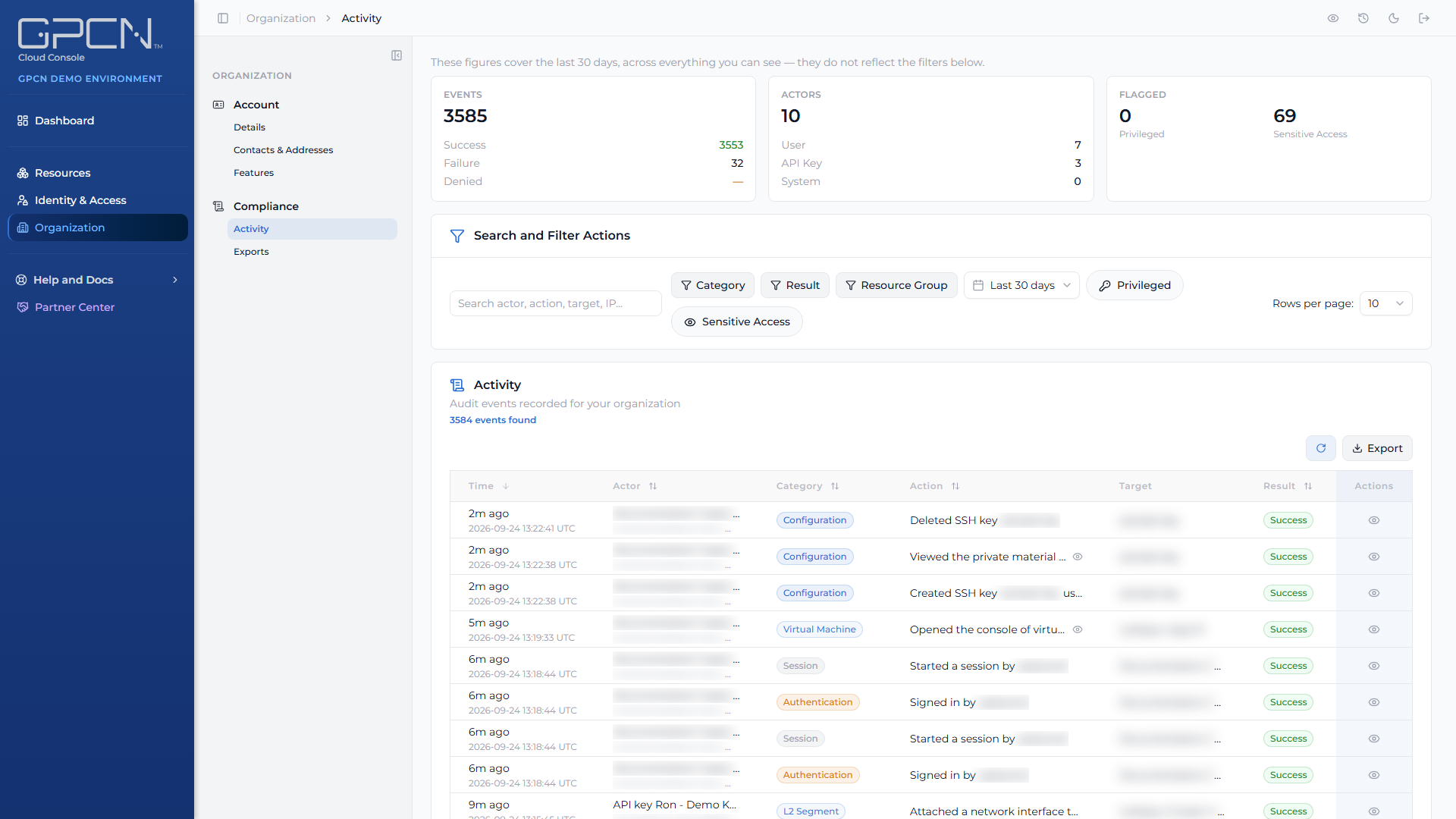
This is the part worth understanding, because two people can open the same page and see genuinely different amounts.
| Your role | What you see |
|---|---|
| Tenant Viewer | Your own actions only. Everything is scoped to you, whoever else was active. |
| Tenant Operator | Your organization's activity across resources, jobs, sessions, audit-log access itself, and system events. |
| Tenant Manager | Same categories as Tenant Operator, across every resource group. |
| Tenant Administrator | Everything, across all event categories. |
Activity is also resource-group scoped. If your access is limited to certain resource groups, the events you see are limited the same way. See Resource Groups.
Reading an event
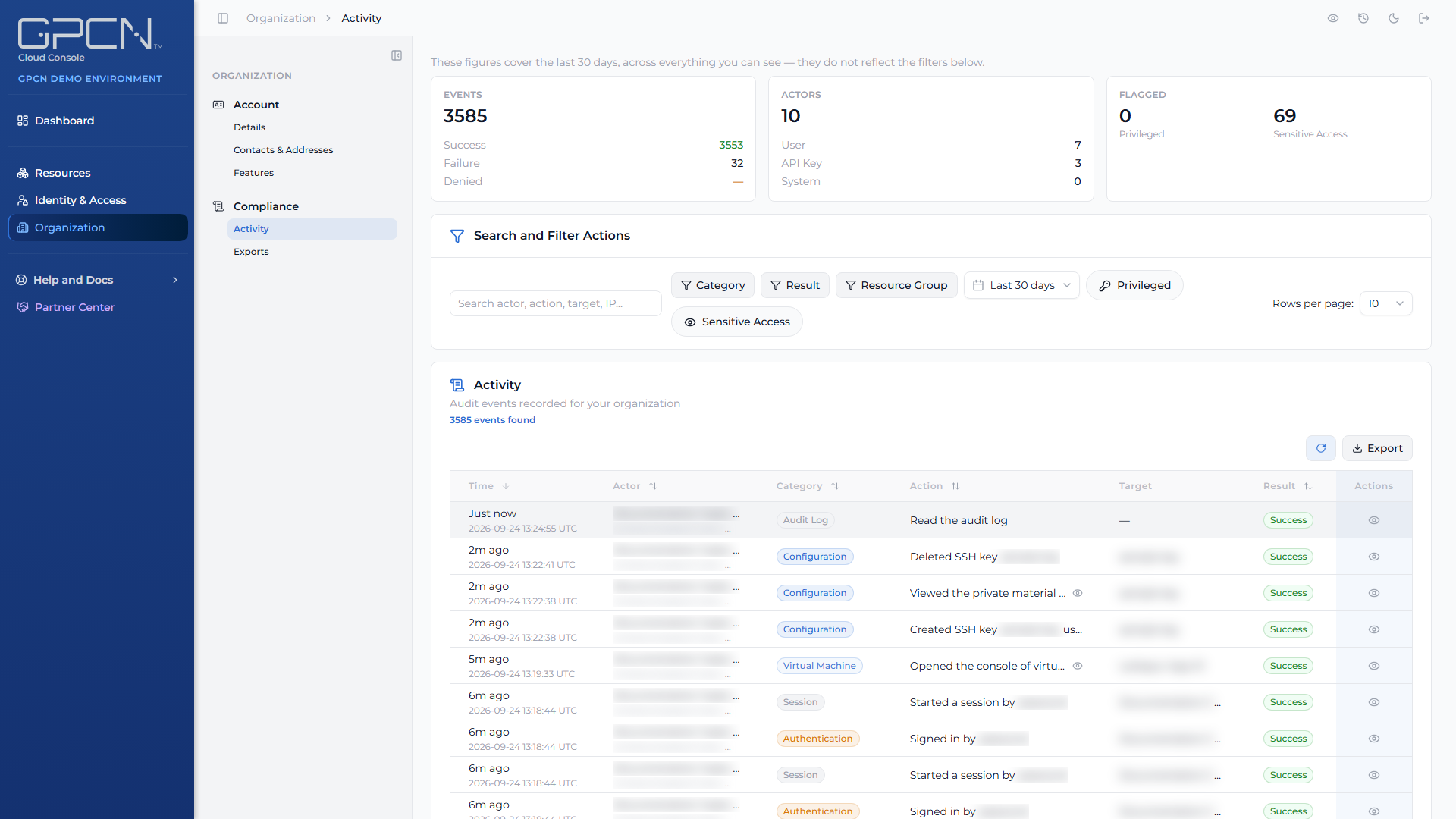
Each event records what was done, who did it, when, and whether it succeeded. Where a change was made, the event carries what changed. Where the work ran as a background job, the event carries the job it belonged to — which is how you connect "someone pressed delete" to "the delete failed twenty seconds later".
Timestamps are shown in UTC.
Per-resource history
You don't have to come here to see one thing's history. Virtual machines, GPU machines and networks each carry a Recent activity card on their detail page, and volumes have a History action on their row.
Those cards need organization-wide activity access, so they appear for Tenant Administrators, Tenant Managers, and Tenant Operators. For other roles the card isn't shown at all — rather than shown and failing.
Resource group and role events
Resource groups show up in Activity like anything else. Creating, renaming or deleting a group, adding or removing a member, and assigning or revoking a role — including one scoped to a specific resource group — each record their own event. These events are visible only to Tenant Administrators — Tenant Manager and Tenant Operator don't see them even though they see other organization activity — and each user also sees their own actions among them:
| What happened | How it reads |
|---|---|
| A group was created | Created resource group <name> |
| A group was renamed or its description changed | Updated resource group <name> |
| A group was deleted | Deleted resource group <name> |
| Someone was added to a group | Added a member to resource group <name> |
| Someone was removed from a group | Removed a member from resource group <name> |
| A role was assigned | Assigned a role (<role name>) to <person> |
| A role was revoked | Revoked a role (<role name>) from <person> |
Sessions show up here
Sign-ins and sign-outs are recorded as session events, visible to anyone who can see the organization's activity. That makes Activity the place to answer "when did this person last sign in", since the portal has no separate session list.
A session expiring on its own isn't recorded as an event, so absence of a sign-out doesn't mean a session is still live.
Next Steps
- Exports → — taking the record away with you
- Roles and Permissions → — which roles hold which audit tier
- Resource Groups → — how scoping narrows what you see
- Sessions → — how sessions begin and end
.png)