Elastic IPs
An elastic IP is a public address your organization holds in a VPC and attaches to a machine. It belongs to your organization rather than to the machine, which means it survives the machine.
Prerequisites
- Any role can see the addresses a VPC holds, and the machines they attach to
- The Tenant Operator, Tenant Manager or Tenant Administrator role, acting in the chosen group, to acquire an address, attach or detach one, or release it — see Roles & Permissions. An organization-wide role acts in the Default group only; a Tenant Operator scoped to a group acts in that group.
How the claim model works
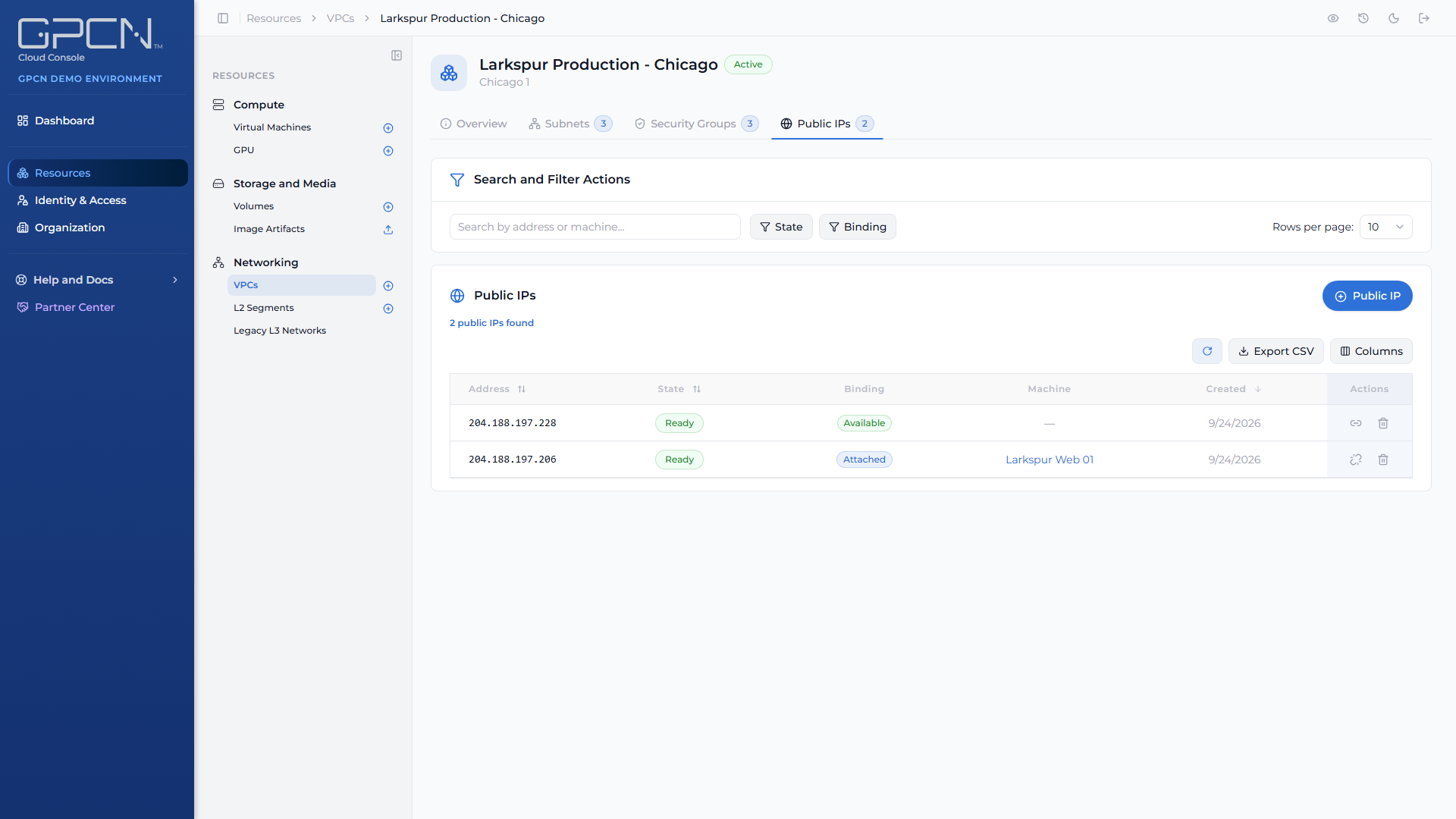
Addresses move through three positions:
- Acquire — your organization takes an address in a VPC. It's yours, and it's billable, whether or not anything is using it.
- Attach — you bind it to a machine's interface, which makes that machine reachable.
- Detach or Release — detaching returns it to your available addresses in that data center; releasing returns the address for good.
Open a VPC from Resources → Networking → VPCs and choose the Public IPs tab to see every address it holds and which machine each is attached to.
An acquired address costs you money while you hold it, attached or not. Deleting a machine doesn't release its address — it returns to your available addresses and keeps billing. Release it explicitly when you're done with it.
One address per machine
A machine can hold one elastic IP at a time, and that limit spans all of its VPC interfaces.
It also spans VPCs: if a machine has interfaces in two VPCs and one already carries an address, attaching another is refused. The portal tells you so before you try, with the same sentence the platform uses:
This machine already has a public IP attached — detach it before attaching another
To move an address between machines, detach it first, then attach it to the new one.
Acquire an address
On the VPC's Public IPs tab, acquire an address. There's nothing to fill in — the address comes from the data center the VPC lives in, and you don't choose it.
Acquiring is an asynchronous job. If it fails without landing an address, the attempt is discarded rather than leaving you something to clean up.
Attach an address to a machine
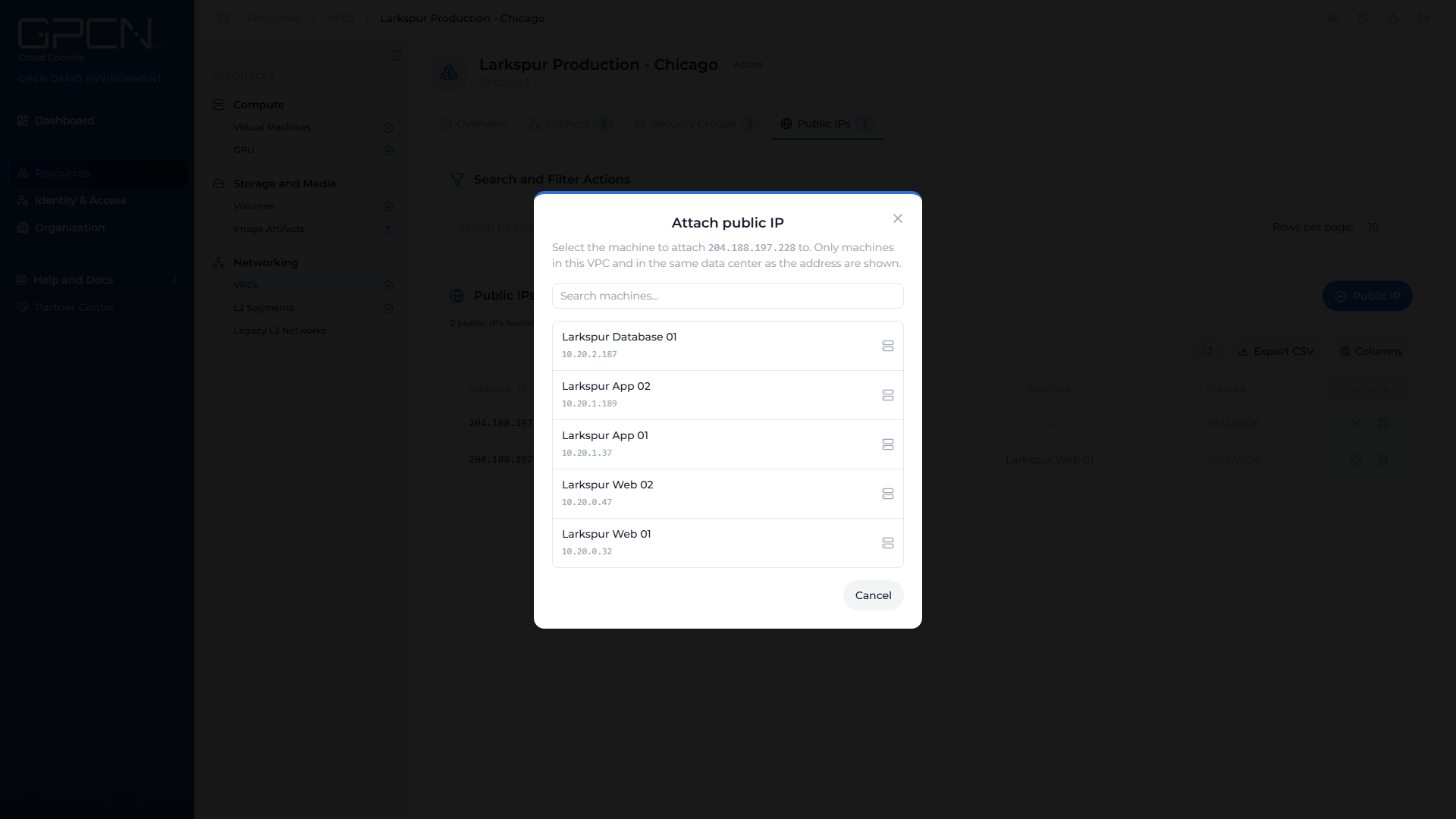
- On the Public IPs tab, attach an address that's Available.
- Choose the machine.
- Choose the interface on that machine.
Only addresses in the ready state can be attached, and only machines in this VPC are offered.
Attaching is a job, so the address isn't live the moment you press the button — it's live once the attach completes.
Detach an address
Detaching ends that machine's inbound reachability and returns the address to your available addresses in the data center. You keep it, and you can attach it to something else.
Release an address
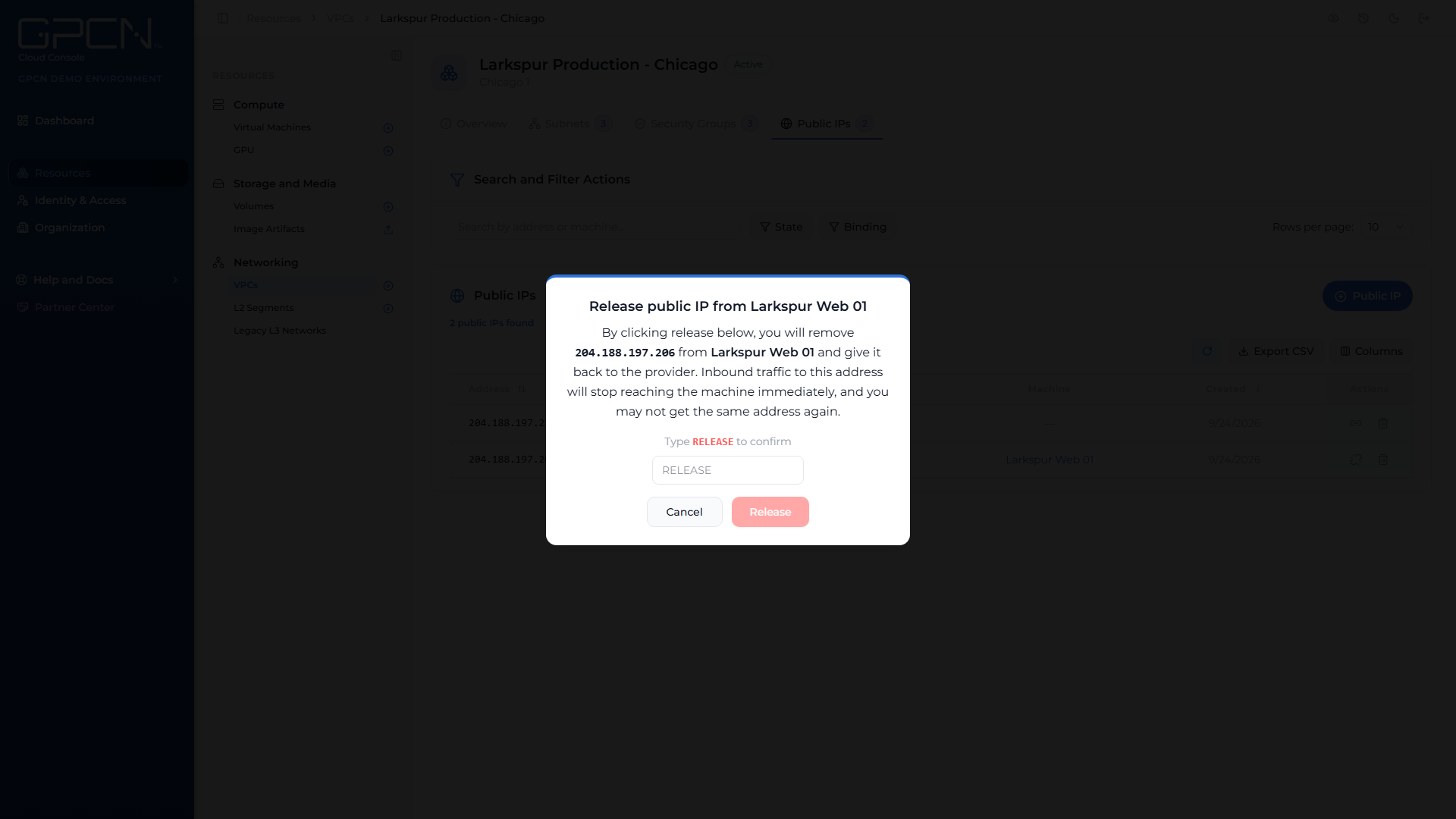
Releasing returns the address.
Releasing is permanent. The address leaves your organization's holdings and can't be reclaimed — acquire another later and you should expect a different one. If something outside GPCN™ points at it — DNS, a firewall allow-list, a partner's configuration — update that first. To keep the address while taking it off a machine, detach it instead.
Releasing an address that's still attached to a machine is a double loss: the address and that machine's inbound reachability, without the detach you could have done first. The portal makes you type RELEASE to confirm that case. Releasing an address you merely hold is a plain confirmation.
Assigning an address when you create a machine
The Create VM wizard's networking step offers three choices for a VPC machine:
| Choice | What it does |
|---|---|
| No address | The machine gets a private address only, with outbound internet access |
| New elastic IP | Acquires a fresh address and attaches it |
| Held elastic IP | Attaches one your organization already holds |
The wizard hides an option you don't have permission for, rather than letting you pick it and fail at deploy.
A public address can't serve more than one machine, so raising the instance count above one clears the address choice. Deploy the machines, then attach addresses individually.
Reachability still needs a rule
An address makes a machine addressable, not reachable. The subnet's security group still decides what traffic is accepted, so inbound traffic needs an ingress rule that allows it. See Security Groups →.
Next Steps
- Security Groups → — allow the inbound traffic you want
- Subnets → — where the machine attaches in the first place
- Network Interfaces → — managing interfaces on an existing machine
- Networking → — the networking surfaces and what each is for
.png)