Networking
GPCN™ (Global Private Cloud Network™) gives you three ways to connect machines to each other and to the internet. This page explains what each one is for.
The three networking surfaces
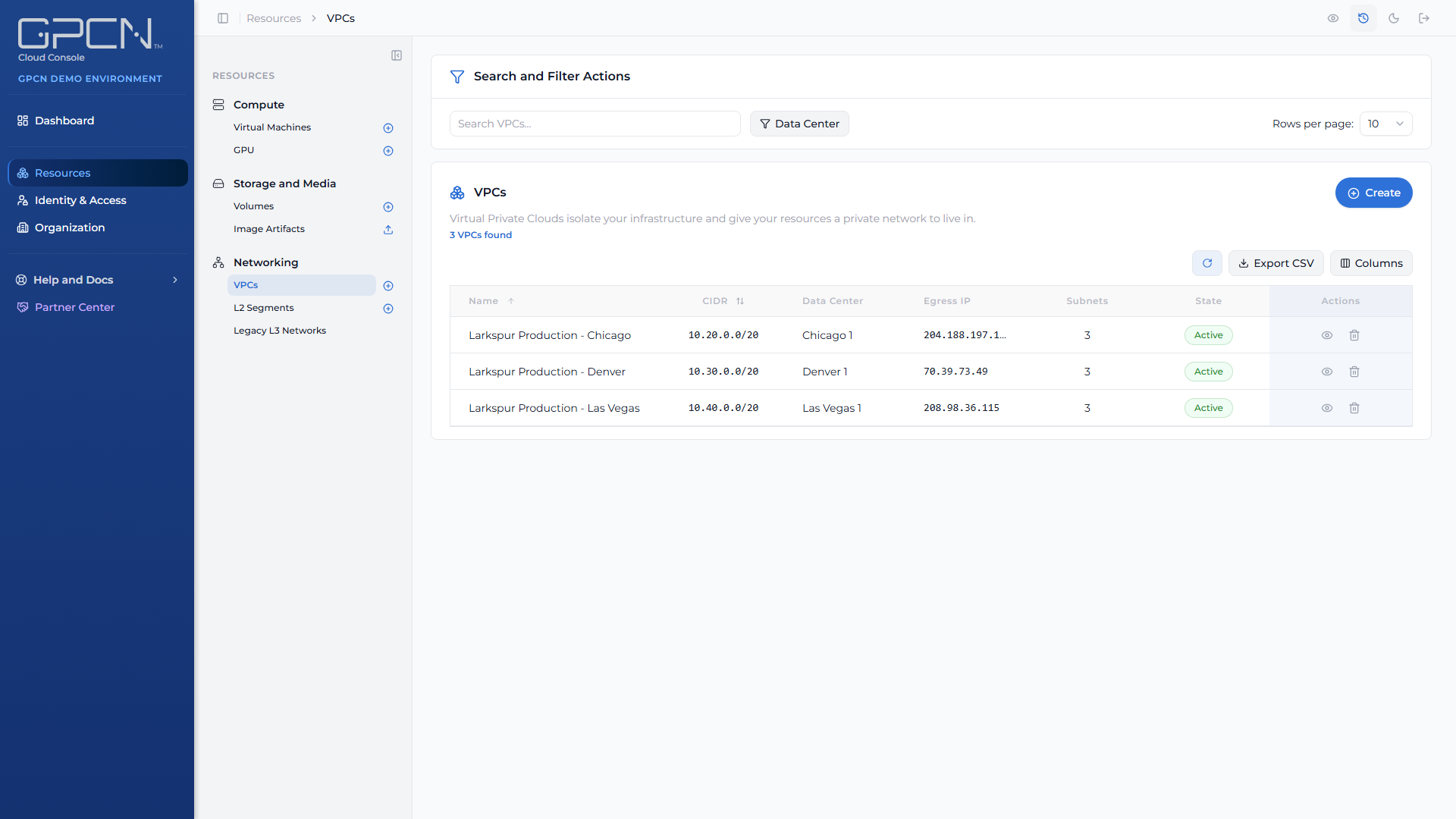
You'll find all three under Resources → Networking in the portal.
| Surface | What it gives you | Reach for it when |
|---|---|---|
| VPCs | A private network in one data center, holding subnets, security groups and elastic IP addresses. Traffic is routed, and every machine port is filtered by a security group you control. | You're building anything new. This is the current model. |
| L2 segments | A flat layer-2 segment with no routing, no DHCP and no addresses of its own — machines talk directly to each other and you configure addressing yourself. | You need machines on the same broadcast domain, or you're running your own DHCP server, firewall or network appliance. |
| Legacy L3 Networks | The routed networks GPCN™ offered before VPCs. | Only if your organization already has them — they can't be created. |
Every port is filtered
A VPC subnet always filters. Every machine port carries the security group you assign it, plus a structural group the platform maintains, so nothing is reachable that a rule does not allow.
Every VPC is created with a default security group, and you can add your own. See Security Groups → for how rules are written and applied.
Addresses
A public address in a VPC is an elastic IP: your organization acquires it, then attaches it to a machine. A machine can hold one at a time.
Because the address belongs to your organization rather than to the machine, deleting the machine does not release it — it returns to your held addresses and keeps costing you money until you release it explicitly. See Elastic IPs →.
Next Steps
- VPCs → — the current model: subnets, security groups and elastic IPs
- L2 Segments → — flat segments with no routing
- Legacy L3 Networks → — for organizations that still have them
- Network Interfaces → — attaching machines to any of the three
- Network API Reference → — endpoint details and code examples
.png)