VPCs
A VPC (virtual private cloud) is a private network in a single GPCN™ data center. It holds the subnets your machines attach to, the security groups that filter their traffic, and the public addresses you assign them.
Prerequisites
- The
vpcfeature enabled for your organization — check Organization → Account → Features - Any role can view VPCs. Building one needs the Tenant Operator, Tenant Manager or Tenant Administrator role, acting in the chosen group — see Roles & Permissions. An organization-wide role acts in the Default group only; a Tenant Operator scoped to a group acts in that group.
Key Concepts
A VPC lives in one data center
You choose the data center when you create the VPC, and it can't be changed afterwards. Everything beneath the VPC — subnets, security groups, addresses — lives in that data center with it.
That's why none of those three asks you for a location when you create them: they inherit the VPC's. If you need private networking in a second data center, create a second VPC there.
Only data centers that support VPCs appear in the create form, so you can't pick a location that would then refuse the request.
Subnets carry your machines
A subnet is an address range inside the VPC, and it's what a machine's network interface actually attaches to. Each subnet is bound to a security group, which decides what its machines accept.
A subnet reports its own state while the platform builds it:
| State | What it means |
|---|---|
| Creating | The subnet is being built. You can select it during VM creation, and deployment waits until it's ready. |
| Ready | Usable — machines can attach. |
| Failed | The subnet couldn't be created. Delete it and try again. |
| Removing | The subnet is being torn down. |
Security groups filter every port
Every VPC is created with a default security group, which can't be deleted — it's there so no subnet is ever left unfiltered. You can create your own groups and move a subnet between them.
There is no unfiltered path into a VPC: every port on every machine is covered by the group its subnet is bound to.
Outbound traffic leaves from one address
Every VPC has an egress IP: the single public address that outbound traffic from its machines appears to come from. It's shown on the VPC list and on the VPC's own page, with a control to copy it.
That's the address to give anyone who needs to allow-list your traffic — a partner API, a database firewall, an SFTP endpoint. It belongs to the VPC, so every machine in it shares the same one, and machines in a different VPC leave from a different address.
The egress IP is not the same thing as an elastic IP. Egress is about traffic going out and is automatic; an elastic IP makes a machine reachable from outside and is something you acquire and attach.
Elastic IPs belong to your organization
In a VPC, a public address is acquired by your organization and then attached to a machine, rather than allocated to an interface and thrown away with it. A machine can hold one elastic IP at a time.
Detaching returns the address to your held addresses — still yours, still billable — and releasing gives it up for good. Deleting a machine does not release its elastic IP.
Anatomy of a VPC
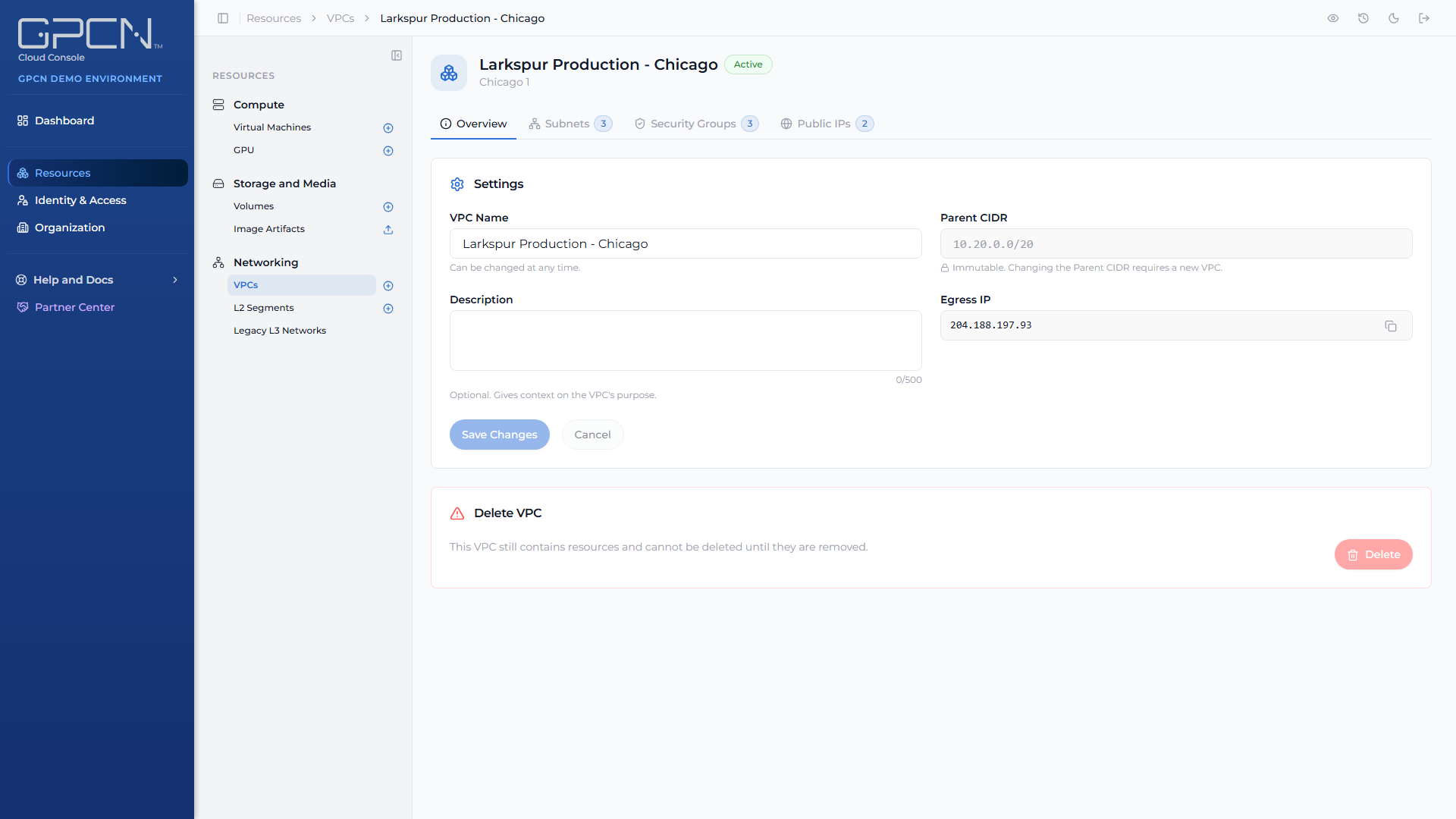
Open a VPC from Resources → Networking → VPCs and you'll find four tabs:
| Tab | What's there |
|---|---|
| Overview | The VPC's name, description, data center, state and egress IP, plus its editable settings |
| Subnets | Every subnet, its address range, its security group, and its state |
| Security Groups | Every group and its rules, including the default group |
| Public IPs | Addresses your organization holds in this VPC, and which machine each is attached to |
VPC states
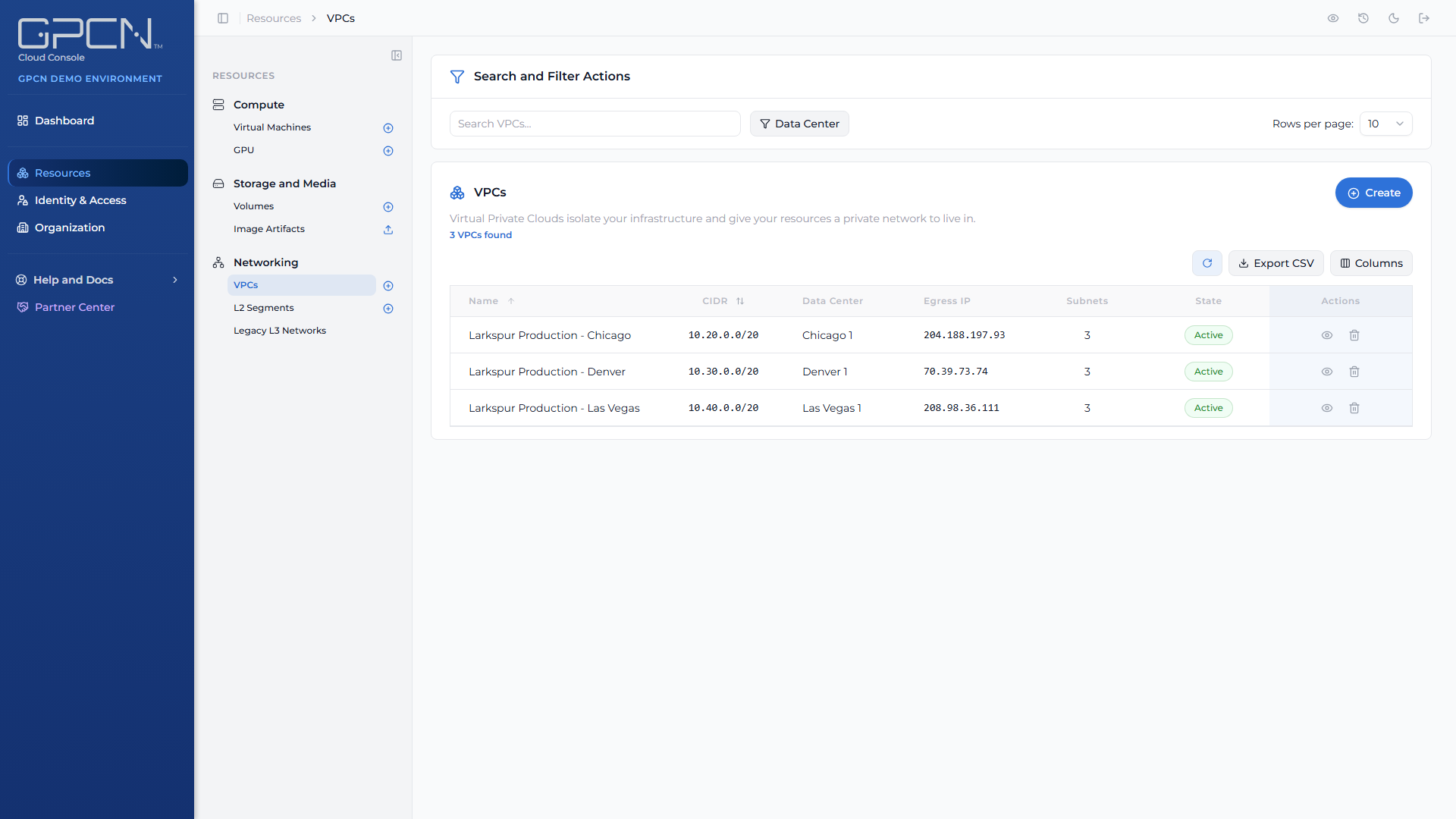
| State | What it means |
|---|---|
| Creating | The platform is building the VPC and its default security group. |
| Active | Ready to use. |
| Failed | Creation didn't complete. |
| Deleting | The VPC is being torn down. |
What you can change later
| Property | Editable |
|---|---|
| Name and description | Yes |
| Resource group assignment | Yes |
| Data center | No — fixed at creation |
A VPC can only be deleted once it's empty, so remove its subnets and release its addresses first.
Resource group and the list column
Every VPC belongs to a resource group, which controls who can see and manage it, and every subnet, security group and public IP in the VPC inherits it. The list carries a Resource Group column showing each VPC's group.
The Overview tab's settings card shows the VPC's current group and lets you move it to another one. Moving a VPC changes who can see it:
Moving this VPC to another resource group changes who can see it: only that group's members and your organization's administrators.
The picker always offers the VPC's current group, so you can pick back if you change your mind, plus any other group where you hold the vpc:update permission. Completing the move also needs vpc:update in the VPC's current group.
Next Steps
- Create a VPC → — build your first one
- Subnets → — add address ranges and attach machines
- Security Groups → — write the rules that filter your traffic
- Elastic IPs → — acquire, attach and release public addresses
- Networking → — how VPCs and L2 segments compare
.png)