Features
Features are the capabilities enabled for your organization. This page is the answer to "why can't I see that?" — if a section is missing from your portal, it's usually because the feature behind it isn't on.
Find it at Organization → Account → Features.
Prerequisites
- Permission to read your organization's features. If the Features row isn't in your Organization panel, you don't have it — ask your administrator.
What the page tells you
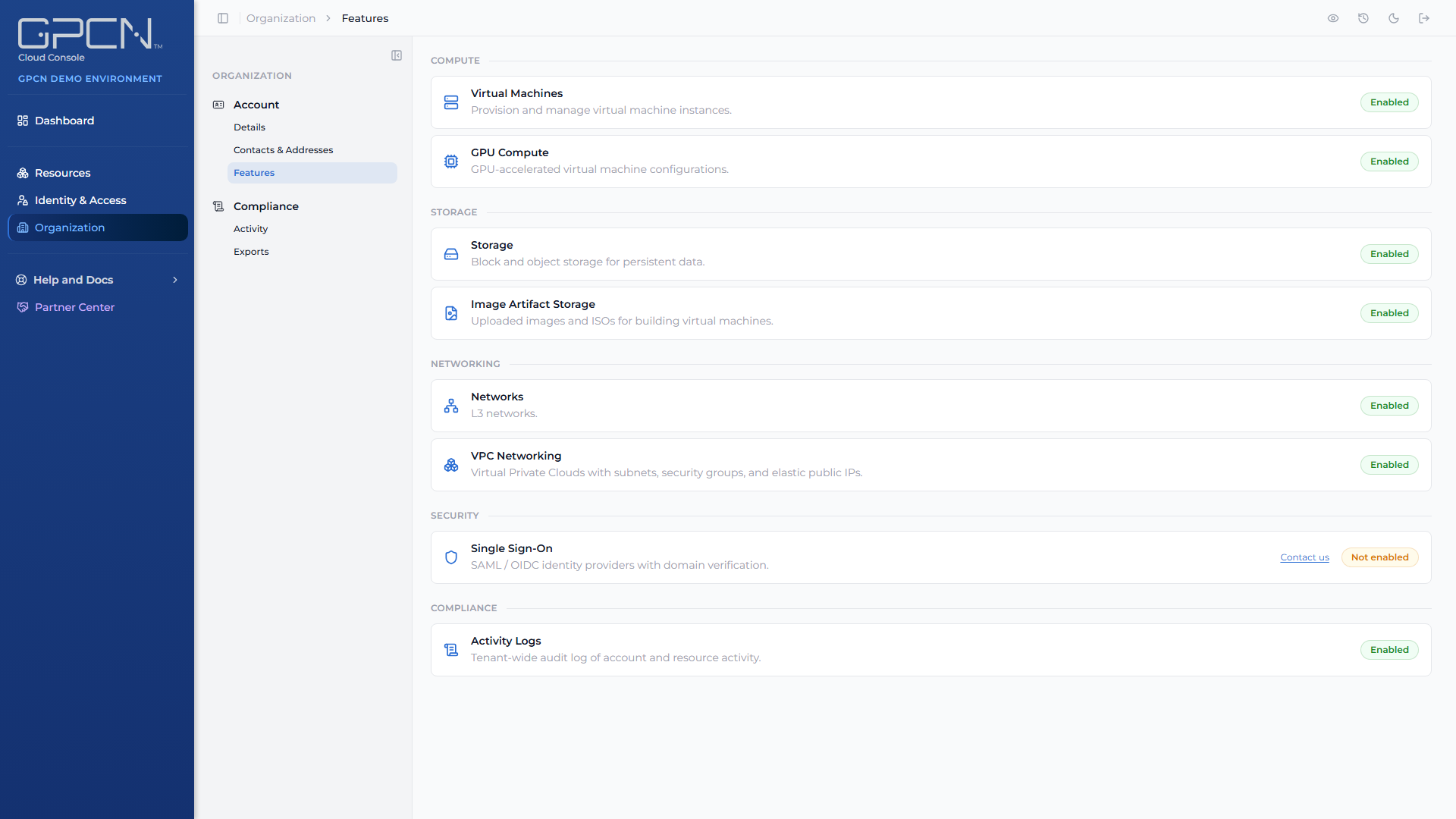
The Features page lists what's enabled for your organization, and when each was activated. It's read-only: features are turned on by GPCN™, not by you, so if you want one you don't have, contact support.
Features that change what you see
These are the ones most likely to explain a missing section:
| Feature | What it unlocks |
|---|---|
| VPC | VPC networking — VPCs, subnets, security groups and elastic IPs. See Networking. |
| GPU | GPU machines, and the GPU row under Compute. See GPU. |
| SSO | Single sign-on provider administration. See Single Sign-On. |
A feature isn't the whole story — you also need the right permission. GPU is a good example: your organization needs the GPU feature and you need permission to read GPU machines before the row appears. If your organization has a feature and you still can't see the section, it's a permissions question. See Roles and Permissions.
L2 segments are not feature-gated. Every organization has them, so you'll find them under Networking whether or not you're on VPC networking.
Next Steps
- Networking → — how the VPC feature changes your networking
- Roles and Permissions → — the other half of what you can see
- Account Details → — your organization's record
- Getting Support → — asking for a feature
.png)