Overview
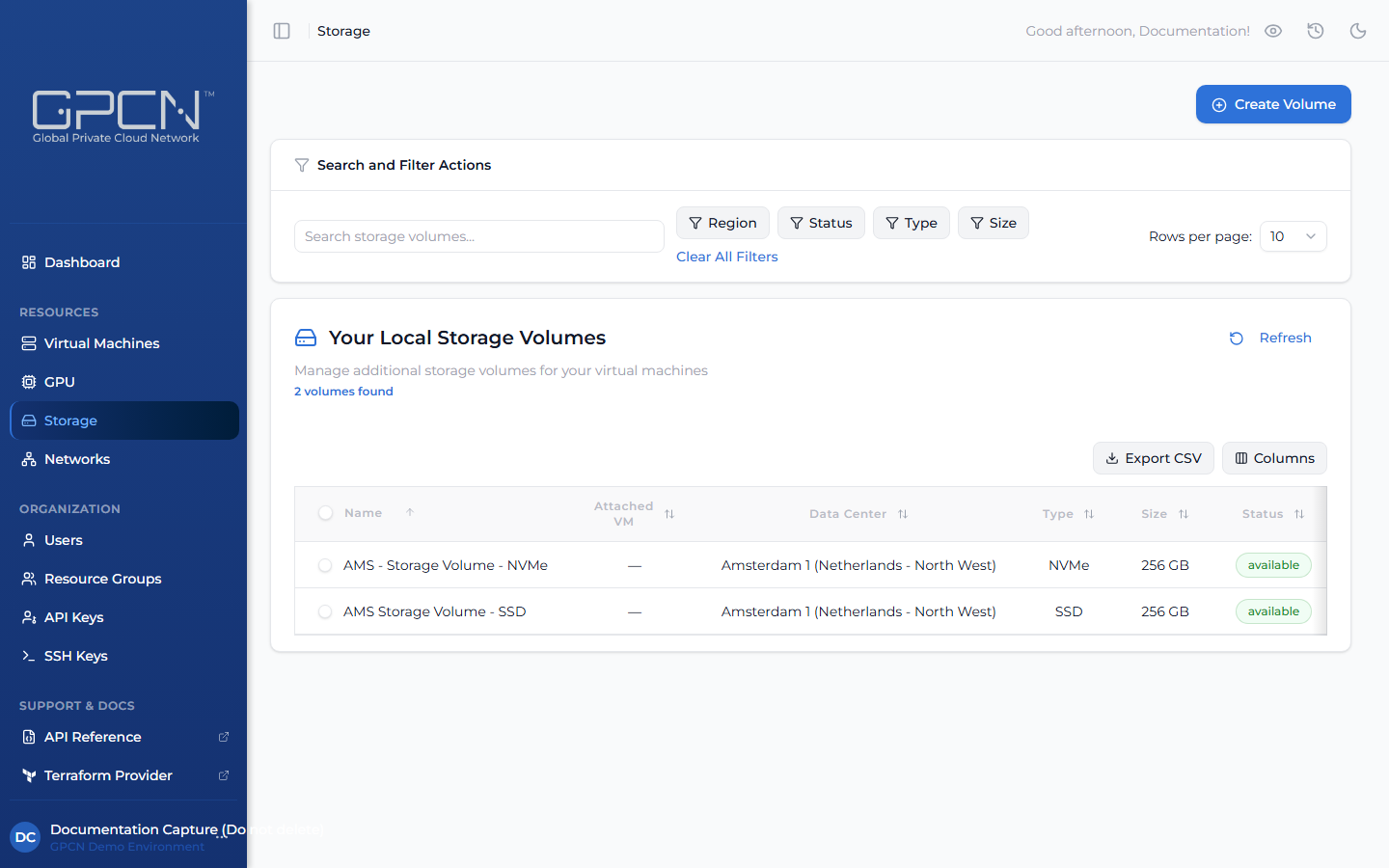
Block storage volumes are persistent disks that you attach to virtual machines. Unlike a VM's built-in boot disk, volumes exist independently — you can detach a volume from one VM and attach it to another without losing data, making them well-suited for databases, file storage, and any workload that needs to outlive a single VM. Each volume is created within a specific data center and can only be attached to VMs in that same location.
How It Works
The typical storage workflow is:
- Create a volume — choose a type, size, and data center
- Attach it to a VM — the volume appears as a block device inside the VM
- Format and mount — partition and mount the volume from within the operating system
- Detach when needed — safely detach the volume and reattach it to a different VM
Key Concepts
Volume Types
GPCN™ offers different storage types optimized for different workloads:
- SSD — solid-state drives for general-purpose workloads
- NVMe — high-performance NVMe storage for I/O-intensive workloads
Available volume types and sizes vary by data center.
Volume Lifecycle
| State | Description |
|---|---|
| Creating | Volume is being set up — this usually takes just a moment |
| Available | Ready to use — the volume is not currently connected to any VM |
| Attaching | Volume is being connected to a VM |
| Attached | Connected and active — the volume is mounted to a VM and ready for use |
| Detaching | Volume is being disconnected from its VM |
| Resizing | Volume is being expanded to a larger size |
| Deleting | Volume is being permanently removed |
Attachment Model
- A volume can be attached to one VM at a time
- A VM can have multiple volumes attached (up to a per-data-center limit)
- Volumes can be detached and reattached to different VMs within the same data center
Sizing
Volumes are provisioned at a fixed size. You can expand a volume to a larger size, but you cannot shrink it. Available sizes vary by data center and are shown in the creation dialog when you select a location.
| Size |
|---|
| 256 GB |
| 512 GB |
| 768 GB |
| 1 TB |
| 1.25 TB |
| 1.5 TB |
| 2 TB |
| 2.5 TB |
| 3 TB |
| 4 TB |
Next Steps
- Create a Volume — provision a new block storage volume
- Attach & Detach — connect volumes to VMs
- Resize a Volume — expand an existing volume
- Delete a Volume — permanently remove a volume
.png)