Overview
GPU VMs are virtual machines with dedicated NVIDIA GPU hardware, designed for workloads that require parallel processing at a scale that standard CPU-based VMs aren't suited for. Common use cases include AI/ML model training and inference, large language model hosting, computer vision, video and image processing, and scientific simulation.
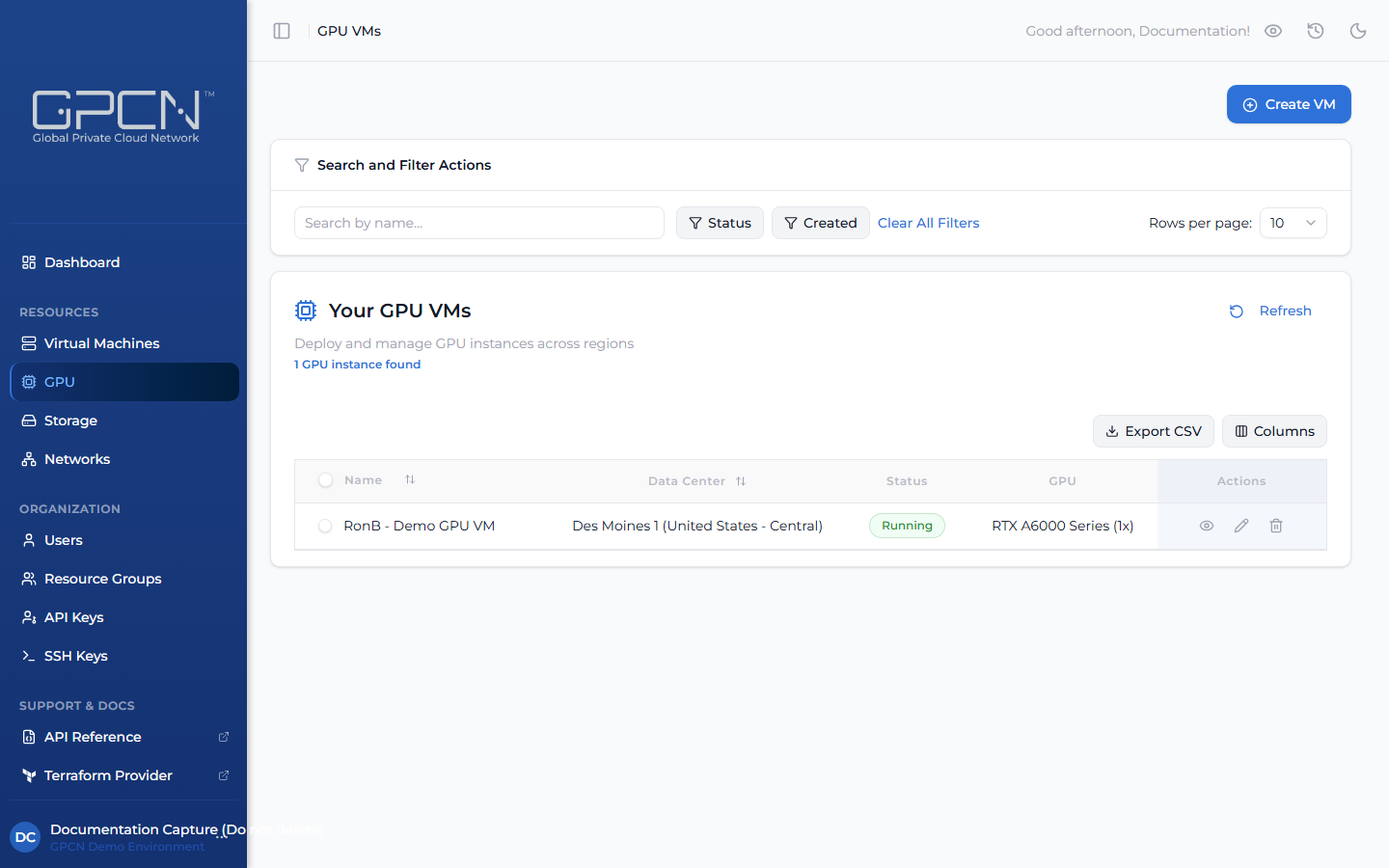
GPU VMs are managed separately from standard VMs and are accessible via the GPU section in the sidebar.
Prerequisites
- The Tenant Administrator or Tenant Power User role
- GPU access enabled on your account — contact support if you don't see the GPU section in the sidebar
How GPU VMs Differ from Standard VMs
| Feature | Standard VMs | GPU VMs |
|---|---|---|
| Configuration | Choose a size (CPU, RAM, disk) | Choose a GPU series and how many GPUs (1, 2, 4, or 8) |
| Networking | Private networks, optional public IP | Auto-assigned public IP; custom networks not supported |
| Console | Browser-based console | SSH only |
| Authentication | SSH key from your library or password, chosen at creation | SSH key from your library, required at creation |
| Inventory | Generally available | Real-time availability that changes frequently |
| Access | Available to all accounts | Requires GPU access enabled on your account |
GPU Series
GPU instances are organized by series, where each series represents a specific NVIDIA GPU model. When creating a GPU VM, you select a series and the number of GPUs you need.
Availability
GPU inventory changes frequently. When creating a GPU VM, the portal shows current availability for each series and data center in real time. If a GPU is claimed by another customer between when you view availability and when you place your order, you'll be prompted to check availability again and retry.
Export
Click Export CSV from the GPU list to download the current view as a CSV file. The export includes only the rows currently visible after filtering — and only the columns you have enabled via the Columns selector. The file is saved as gpu-instances-{date}.csv.
Next Steps
- Create a GPU VM — deploy a GPU instance
- Manage GPU VMs — lifecycle operations and SSH access
.png)